Push to GitHub.Liftgate runs it.
Open-source hosting for web apps, APIs, workers and cron jobs, on Liftgate Cloud or your own Kubernetes.
No Dockerfile? Railpack detects these stacks and more. If your repository has one, Liftgate builds the Dockerfile instead.
- Next.js
- Nuxt
- Astro
- SvelteKit
- Vite
- Angular
- Node.js
- Bun
- Django
- FastAPI
- Flask
- Ruby on Rails
- Laravel
- Go
- Rust
What happens when you push
Push
The GitHub App tells Liftgate about the push. Every service in an environment that tracks the branch gets a build.
Status Commit Ready Created running4f2c9e1Show order history on the account page just now succeededb81d3a0Cache product images 3h ago failed5d1b8f3Try Node 24 1d ago succeeded9e07c55Fix rounding in the cart total 2d ago The Deployments tab of an example service, with a build running. Build
Liftgate builds your Dockerfile, or Railpack works out the build when there is none. The log streams while the build runs.
Build 4f2c9e1Live╭─────────────────╮ │ Railpack 0.39.0 │ ╰─────────────────╯ ↳ Detected Node ↳ Using pnpm package manager Packages ────────── node │ 22.23.2 │ package.json > engines > node (22) pnpm │ 10.18.0 │ idiomatic-version-file (10.18.0) Steps ────────── ▸ install $ pnpm add -g node-gyp $ pnpm install --frozen-lockfile --prefer-offline ▸ build $ pnpm run build Deploy ────────── $ pnpm run startRailpack's plan for an example Next.js app, replayed. Release
A successful build rolls out automatically. Web and static services answer over HTTPS on liftgate.app. Roll back to any of the last ten successful builds.
Status Commit Ready Created running4f2c9e1Show order history on the account page 1/1 just now supersededb81d3a0Cache product images 3h ago failed5d1b8f3Try Node 24 1d ago superseded9e07c55Fix rounding in the cart total 2d ago The Deployments tab once the build is released.
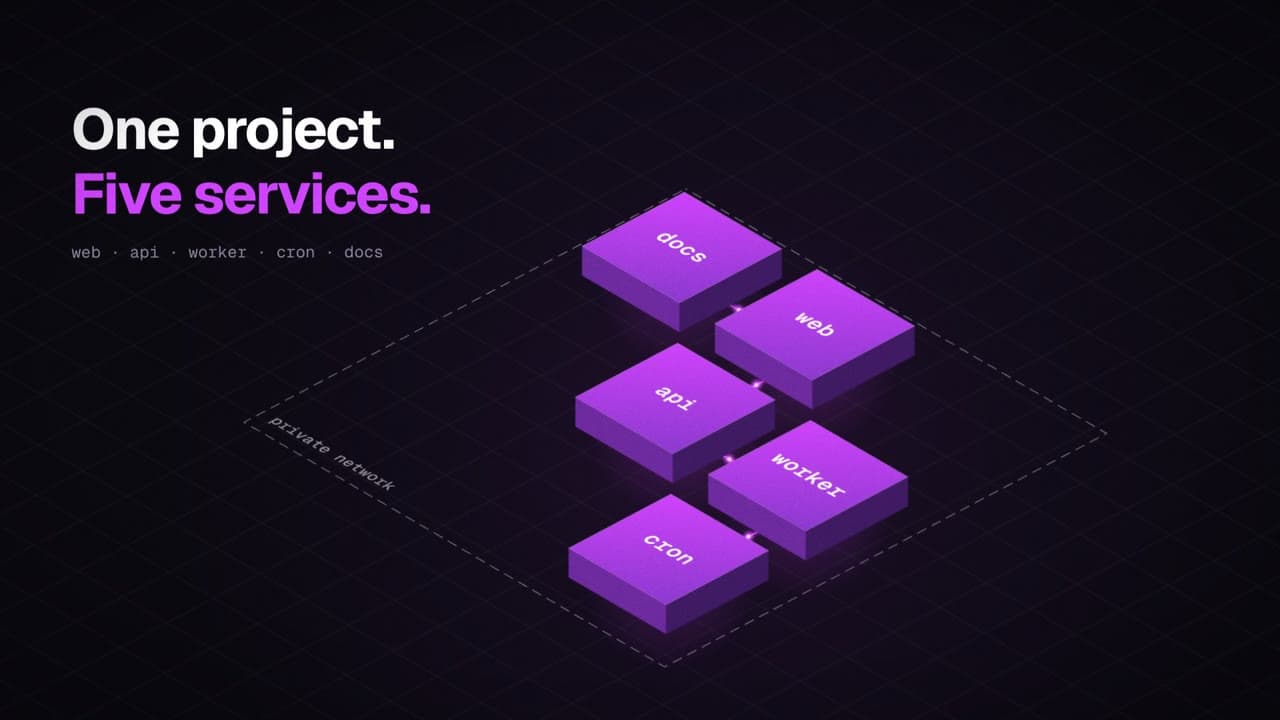
Web apps, workers and cron jobs in one project
Every service picks its kind, root directory and resources. Workers reach your web services by name, like http://api, and cron runs never overlap.
Production
main
| Service | Status | URL | Last deploy |
|---|---|---|---|
| web | running | web-hello-dean.liftgate.app | just now · 4f2c9e1 |
| api | running | api-hello-dean.liftgate.app | just now · 4f2c9e1 |
| worker | running | None | just now · 4f2c9e1 |
| digest | running | None | just now · 4f2c9e1 |
| docs | running | docs-hello-dean.liftgate.app | just now · 4f2c9e1 |
Service settings
Deploy on our cloud.Or on yours.
Liftgate Cloud runs the open-source Helm chart. Install the same chart on your own Kubernetes and your repositories build the same way.
Liftgate Cloud
Run by us
- Price
- Free during the beta. No card and no billing.
- Web addresses
- A liftgate.app address with HTTPS for every web and static service.
- Sign-in
- GitHub, passkeys and SAML single sign-on.
- New accounts
- Approved by hand. You can sign in right away and deploy once approved.
Your Kubernetes
Run by you
- Price
- Free and open source. Licensed under AGPL-3.0.
- Web addresses
- Your own wildcard domain, plus custom domains checked with a TXT record.
- Sign-in
- GitHub, passkeys and SAML. Turn on Google, GitLab, Bitbucket and email codes too.
- New accounts
- Open, by approval or closed. Your choice.
Isolation you can check in the source
Liftgate treats every app as untrusted code. Each rule below links to the file that enforces it.
A gVisor sandbox around every app
Every app runs under gVisor, the chart's default runtime, as a non-root user with every capability dropped and no Kubernetes API token.
Resources.kt.withNewSpec()
.withRuntimeClassName(runtimeClass)
.withNodeSelector<String, String>(nodeSelector)
.withTolerations(tolerations)
.withRestartPolicy(restartPolicy)
.withAutomountServiceAccountToken(false)
.withEnableServiceLinks(false)
.withNewSecurityContext()
.withRunAsNonRoot(true).withRunAsUser(TENANT_UID).withRunAsGroup(TENANT_UID).withFsGroup(TENANT_UID)
.withNewSeccompProfile().withType("RuntimeDefault").endSeccompProfile()
.endSecurityContext()
.withContainers(container(r))
.endSpec()Read-only clones of your repositories
Each build clones with a read-only token limited to that one repository.
GitHubApp.ktmapOf("contents" to "read", "metadata" to "read")A namespace per environment
Each environment gets its own namespace with a default-deny network policy. Apps reach each other inside it, but not other private networks or mail ports.
Resources.kt"10.0.0.0/8", "172.16.0.0/12", "192.168.0.0/16", "100.64.0.0/10", "169.254.0.0/16"Secrets you can set but not read back
Variables are encrypted with AES-256-GCM and available to builds and at runtime. Secret values never become Docker build arguments, and the API never sends one back.
EnvVars.ktInstall it on your own cluster
The chart installs the control plane, the dashboard, NATS and a PostgreSQL cluster. You bring Kubernetes, a container registry and two domains.
You will need
- A Kubernetes cluster with gVisor on every node. infra/k3s/install.md sets one up with k3s.
- A container registry that build jobs push to and your nodes pull from.
- Wildcard DNS and a wildcard TLS certificate for your apps domain, kept on a different registrable domain from the dashboard.
- A GitHub App for sign-in, push webhooks and cloning.
Install
Liftgate is in public beta, so read each release's upgrade notes and back up before you upgrade.
Install guideStart with one repository
Liftgate Cloud is free during the beta, with no uptime guarantee, and accounts are approved by hand. The source is on GitHub.